
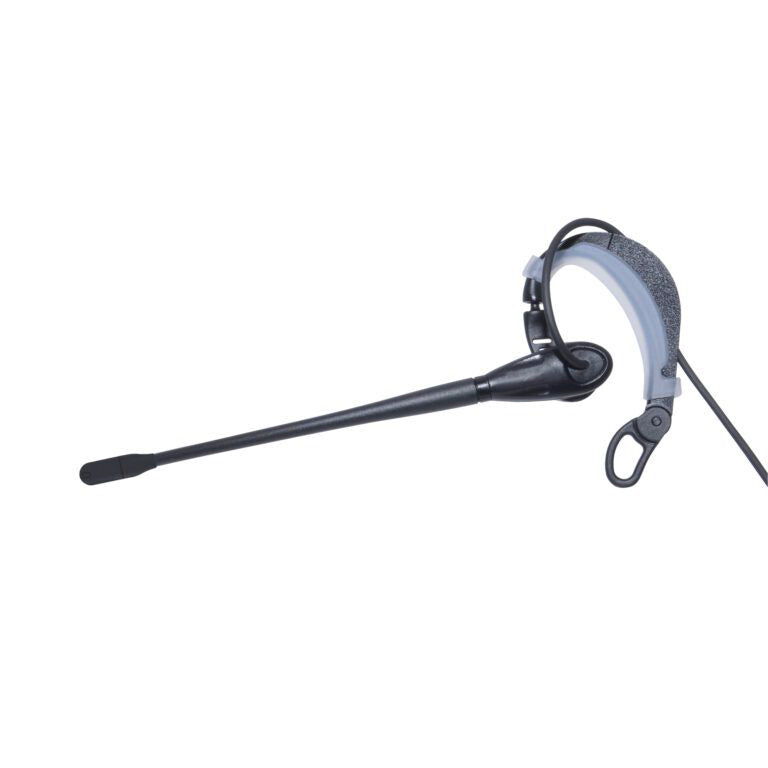
Choosing a 911 dispatch headset starts with one question: will the complete setup work with your dispatch system?
Comfort, wearing style, and audio features matter, but they should be evaluated alongside your console, connection cables, and push-to-talk controls. A useful recommendation identifies the complete configuration, not just a headset name.
Use this buying guide to organize your requirements, narrow your options, and prepare for a compatibility review before ordering.
1. Identify your dispatch system
Start with the manufacturer and exact model of your dispatch console or communication system. Examples to identify in your request include:
- Motorola MCC 7500 or MCC 7500E.
- Motorola MCC 7100.
- L3Harris dispatch consoles.
- Zetron systems.
- Avtec Scout.
- Computer-based communication systems.
- Desktop telephone systems.
These are starting points for identifying your equipment, not a list of systems supported by every dispatch headset.
Include any interface boxes, amplifiers, connection cables, and controls already installed. Photograph equipment labels and connectors if part numbers are difficult to locate. Do not include credentials, sensitive screen contents, or confidential operational information.
Ask your supplier to identify whether the proposed setup requires a specific cable, adapter, amplifier, or console interface. If your center has different workstation configurations, request a review for each one.
Recommended starting points by dispatch system
The options below distinguish manufacturer-listed console support from products to evaluate only after a technical review. An adapter is not a complete headset system. Confirm the headset, interface, cables, controls, and console configuration together before ordering.
| Your system | Recommended starting point | What needs confirmation |
|---|---|---|
| Motorola MCC 7500 / MCC 7500E | Request a wired PJ-7 configuration review. Our JPL headset and push-to-talk options include a Scout 300A configuration to evaluate where an amplified six-wire PJ-7 solution is appropriate. This is a candidate for review, not a verified MCC 7500 or MCC 7500E match. | Exact headset jack box or interface, four-wire versus six-wire configuration, microphone requirements, receive/transmit levels, and PTT operation. Motorola documents PJ7 and PJ327 interfaces for its specified headset jack boxes; that does not approve every attached headset or adapter. |
| Motorola MCC 7100 | Start with the installed USB Audio Interface Module and its headset peripherals. Request a configuration-specific wired headset/PTT recommendation rather than selecting a generic USB office headset. The JPL wired options may be reviewed as candidates, but no exact match is confirmed here. | Audio Interface Module model, connected jack box and cables, telephone integration, and required PTT or footswitch functions. The console's USB Audio Interface Module does not make arbitrary USB headsets compatible. |
| L3Harris dispatch consoles | Request a model-specific recommendation before selecting equipment. If the installed interface calls for a wired PJ-7 solution, ask whether the JPL headset and PTT configurations are suitable candidates. No L3Harris model-specific compatibility is verified here. | Exact console model, headset interface, cable part numbers, amplification requirements, and radio/telephone control functions. Do not apply one L3Harris recommendation across different console models. |
| Zetron systems | For Zetron MAX and ACOM, consider the JPL Scout 3100 wireless PTT adapter, which JPL lists for these systems. Our Scout 3100 headset and PTT bundle is a complete-set candidate for review. | Exact MAX or ACOM installation, interface, cables, headset QD connection, and required controls. This recommendation does not extend to every Zetron system or independently certify the complete bundle. |
| Avtec Scout | Consider the JPL Scout 3100 for a wireless PTT option, or ask about the wired JPL Scout 300. JPL specifically lists Avtec Scout support for both adapters. The Scout 3100 bundle adds a headset and spare battery for evaluation. | Installed jack box or USB/PJ-7 interface, correct connection accessories, headset pairing, and console audio/control settings. Do not assume the Scout 300A is identical to the Scout 300. |
| Computer-based communication systems | For software requiring a dedicated PTT interface, evaluate a JPL Scout 200 USB-A/USB-C-to-QD trigger with a matching JPL headset. For ordinary computer calling, request a USB headset recommendation against the exact application instead. | Application support for audio and PTT, operating system, USB interface, headset connector, and any integration requirements. USB connectivity alone does not establish dispatch software support. |
| Desktop telephone systems | For Avaya J100 Series phones, consider the JPL Professional Ear-Hook Headset for Avaya J100 Series Phones as a model-specific starting point. For other phones, request a recommendation using the exact phone make and model. | Phone model, compatible bottom lead or adapter, and required answering controls. This desk-phone listing is not a universal dispatch-console headset recommendation. |
Before purchasing: send First Source Wireless your console model, interface details, and current headset/cable part numbers. Ask for the exact configuration to be confirmed in writing and evaluated through your approved test process.
Reference information: JPL Scout 3100 console listings, JPL Scout 300, JPL Scout 300A, JPL Scout 200, Motorola dispatch accessories brochure, and Motorola MCC 7100 specification sheet.
2. Choose your headset wearing style
Monaural: single ear
Monaural headsets leave one ear uncovered. Consider this style when dispatchers want to hear nearby coworkers as well as headset audio. Evaluate it in your working environment rather than assuming it provides the right balance for every position.
Binaural: dual ear
Binaural headsets cover both ears. Consider evaluating this style where surrounding conversation makes it difficult to focus on incoming audio. Include dispatcher feedback and any requirements for hearing coworkers or alerts during testing.
Convertible headsets
Convertible headsets offer alternative wearing arrangements, depending on the model. Confirm which wearing accessories are included and which must be purchased separately.
The right choice should reflect operational requirements and individual fit.
3. Identify the complete connection path
Record every connection between the headset and the workstation. Your equipment may include quick-disconnect connections, RJ9 or other modular connectors, USB-A or USB-C, six-pin dispatch connections, 3.5 mm connections, or a wireless base.
Use these descriptions to organize your request, not to approve compatibility. Physically similar connectors are not enough to establish that two components will work together. Ask for confirmation of the exact headset, cable, interface, and console combination, including the required transmit and control functions.
For wireless equipment, include the base station and its workstation connection in the review.
4. Compare wired and wireless options
Evaluate wired and wireless configurations against the same operational requirements. The following questions provide a more useful comparison than assuming one connection method is always better.
| Consideration | Wired configuration | Wireless configuration |
|---|---|---|
| Movement | Evaluate cable reach, routing, and disconnect points. | Verify documented range and test coverage in your environment. |
| Power | Confirm power requirements for any included interface or amplifier. | Confirm charging procedures, runtime, and base-station power requirements. |
| Continuity | Evaluate cable strain and connection security. | Evaluate connection-loss behavior and the approved backup procedure. |
| Cost | Compare the complete headset, cable, interface, and accessory cost. | Include the headset, base, required interfaces, and relevant battery costs. |
| Extended use | Evaluate comfort and movement at the workstation. | Evaluate comfort and whether the charging plan supports the shift. |
| Console compatibility | Verify exact component part numbers. | Verify the headset, base, interfaces, and required controls. |
Neither connection approach should be selected on convenience alone. Include technical and operations staff in the evaluation.
5. Evaluate noise management and speech clarity
Separate what the microphone does from what the wearer hears.
Microphone noise cancellation concerns background sound picked up through the microphone. Active noise cancellation, when a headset includes it, concerns noise heard by the wearer. Do not assume that a headset advertised with a noise-canceling microphone also provides active noise cancellation.
Ask for model-specific documentation on microphone performance, incoming-audio features, and any acoustic shock protection or other acoustic protection features claimed by the manufacturer. Avoid treating a feature name as a guarantee of workplace hearing protection.
During an approved evaluation, check microphone positioning, transmitted speech clarity, incoming audio, and access to volume controls under representative conditions.
6. Prioritize comfort throughout the shift
A brief fitting cannot answer every question about extended wear. Give representative users an opportunity to evaluate the proposed headset over a suitable trial period.
Assess headset weight, headband adjustment, pressure, microphone positioning, and fit with glasses. If several cushion materials are available, compare them rather than assuming foam or leatherette will suit everyone.
Confirm that replacement cushions and microphone covers are available for the exact model. Follow the manufacturer's cleaning instructions, particularly when equipment is shared between users.
Record feedback from more than one dispatcher before standardizing a configuration.
7. Review amplifiers, adapters, and push-to-talk controls
Do not assume a replacement headset can reuse every existing accessory.
Ask your supplier to identify whether the proposed configuration needs an amplifier, push-to-talk adapter, foot switch, volume control, quick-disconnect cable, or console-specific interface.
Separate the equipment you already own from the components included in the quote. Require exact part numbers and identify unresolved compatibility questions before approving the purchase.
8. Compare complete configurations side by side
Build your comparison around verified information for each proposed setup:
- Exact headset model and part number.
- Supported console configuration and supporting documentation.
- Wearing style and connection type.
- Wired or wireless operation.
- Required cables, interfaces, and push-to-talk controls.
- Documented microphone and acoustic protection features.
- Headset weight and available adjustments.
- Replacement cushions and other service items.
- Warranty, availability, and complete-system price.
Mark unknown information as “confirmation required.” A blank field should not be interpreted as compatibility or a feature being included.
Before a wider rollout, validate the proposed configuration through your organization's approved evaluation process. Test required receive, transmit, and control functions without disrupting live communications. Record the exact components tested and who approved the setup.
9. Find your dispatch headset: five questions to narrow the options
Answer these questions before requesting a recommendation:
- Which dispatch system and exact workstation configuration do you use?
- Which headset, cable, interface, and control components do you already own?
- Which wearing styles should your team evaluate?
- Are you considering wired, wireless, or both?
- Which communication functions and environmental requirements must the setup support?
If you are unsure about an answer, write “not sure” and include clear equipment photos or documentation. These answers provide a starting point for a compatibility review, not an automatic guarantee that a particular headset will work.
10. Frequently asked questions
What is the best headset for a 911 dispatcher?
Start with a configuration verified for the workstation, then evaluate communication functions, comfort, and support requirements. There is no single recommendation that should replace a review of your equipment and workflow.
What headsets are compatible with Motorola MCC 7500 consoles?
Request a recommendation against your exact console setup, interface equipment, and required controls. Ask for exact headset and connection-component part numbers with supporting compatibility documentation.
Can 911 dispatchers use wireless headsets?
Treat wireless as a configuration to evaluate with your technical and operations teams. Confirm compatibility, required controls, charging procedures, and performance before approving use.
Do dispatch headsets require an amplifier?
Do not assume either way. Ask the supplier to document the connection requirements for your exact headset and workstation combination.
What is the difference between monaural and binaural headsets?
Monaural headsets cover one ear; binaural headsets cover both. Evaluate the choice against surrounding noise, communication requirements, and user preference.
Can I use a regular office headset with a dispatch console?
Do not assume an office headset is suitable because its connector appears to fit. Request confirmation of the complete connection path and all required communication functions.
How often should dispatch headsets be replaced?
Use manufacturer guidance, equipment condition, and your organization's maintenance procedures rather than an arbitrary replacement interval. Establish a process for reporting and evaluating damaged or unreliable equipment.
Are JPL and Poly dispatch headsets interchangeable?
Do not assume interchangeability across brands or product families. Have the exact headset, connection cable, interface, and controls reviewed before substituting components.
Find the right dispatch headset for your workstation
Send First Source Wireless your console model, existing headset and cable part numbers, photos of the connections, preferred wearing style, and required controls. Include the number of users and any differences between workstations.
Request a compatibility review and an itemized quote before ordering, then validate the proposed configuration through your organization's approved evaluation process.
Using an Avaya J100 Series desk phone?
Explore the JPL Professional Ear-Hook Headset for Avaya J100 Series Phones if you are considering an ear-hook option for a desk-phone calling station.
This listing is phone-focused, not a confirmed headset solution for the dispatch consoles discussed above. Confirm your exact phone model, connection cable, and any required adapter before ordering.